
Meta AI Finally Launches in Hong Kong! How to Use It on WhatsApp, IG & Threads — iOS/Android Setup Guide + Hands-On Review
Monsterapp.ai
After years of waiting, Meta AI officially launched in Hong Kong on September 11, 2026. No VPN, no cross-region account tricks, completely free — and it’s not just one app. WhatsApp, Instagram, Threads and Facebook are all getting access to the same AI. Here’s the full download guide, how to use it across all four platforms, and our hands-on test results.
Meta AI is Meta’s free personal AI assistant, powered by Muse Spark — a model built in-house by Meta Superintelligence Labs. It offers two modes you can switch between: “Instant” for quick answers and “Thinking” for deeper reasoning.
On September 11, 2026, Meta officially rolled out Meta AI in Hong Kong. From that day, users could access it directly through the standalone Meta AI app or the meta.ai website, with Facebook, Messenger, Instagram, Threads and WhatsApp gaining the same AI integration over the following weeks.1
The biggest selling point of this launch is localization: the system doesn’t just understand Cantonese phrasing — it recognizes everyday local context like wet markets and cha chaan teng (Hong Kong-style diners). Meta says this isn’t a direct translation from Standard Chinese, but an attempt to actually understand what Hong Kong users are asking.1
The situation now is simple: open the App Store or Google Play, download the app — or just go to meta.ai directly — and you can use it for free immediately, no new account required.2
Key thing to know: besides the standalone Meta AI app, you can also use Meta AI right inside WhatsApp, Instagram and Threads — the apps you’re already using every day. But all four apps need to be updated to their latest versions first, or the AI entry point simply won’t show up. Here are the full download links for all four.
It’s worth turning on auto-updates: on iOS, go to Settings → App Store → App Downloads; on Android, open the app’s page in the Play Store, tap the menu in the top-right corner, and check “Enable auto update.” Meta says the rollout is happening in phases across platforms, so if you don’t see the AI entry point right after updating, give it a few days.
Once WhatsApp updates, a purple-to-blue gradient ring icon appears just above the new-message button in your chat list — tapping it opens a dedicated one-on-one chat with Meta AI. Before you start chatting, check for two things to confirm it’s official:
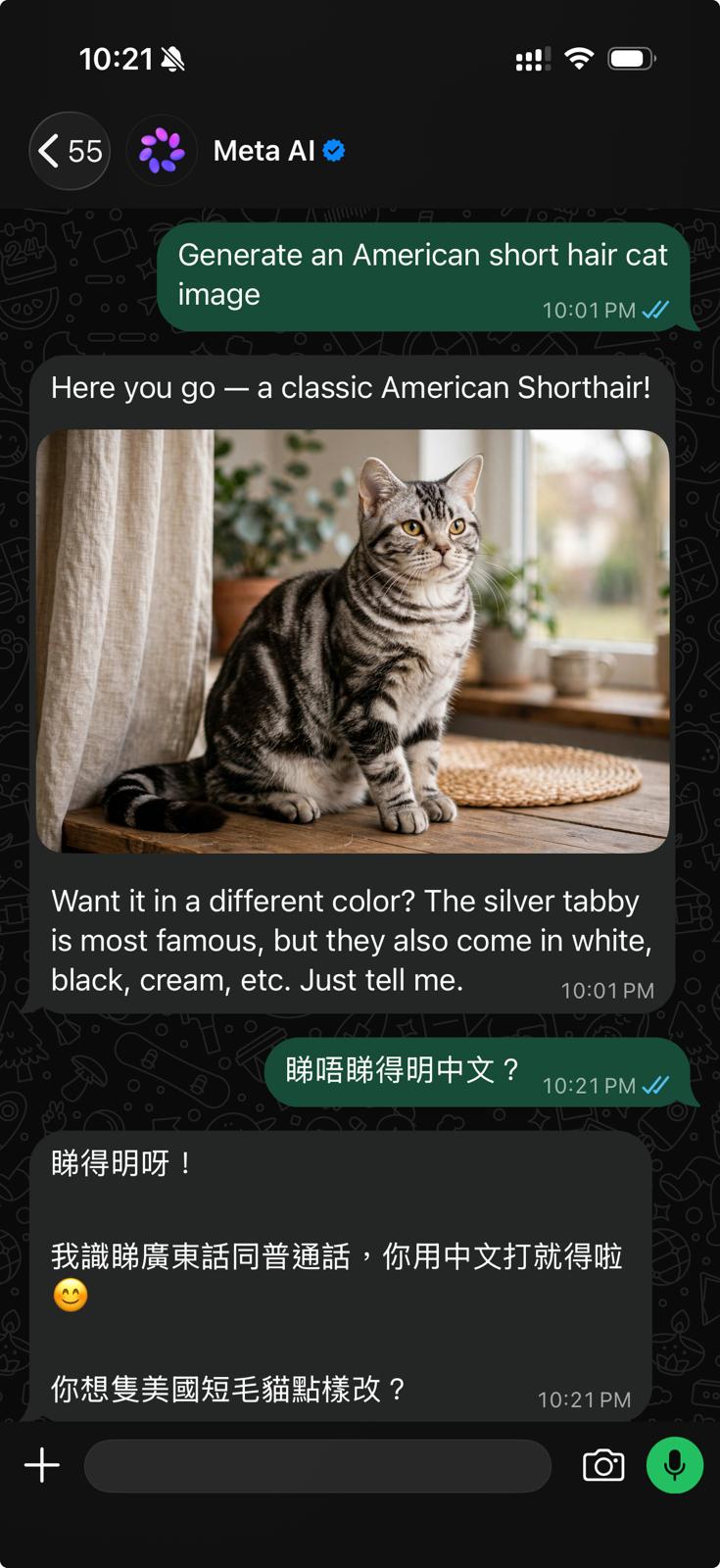
Type your question directly in Traditional Chinese and Meta AI replies in Chinese instantly, automatically detecting whether you’re writing in Cantonese or Mandarin phrasing, with a tone that reads like natural conversation. After generating an image, we switched to Chinese and asked “can you actually read Chinese?” It replied:
“Yes, I can read it! I understand both Cantonese and Mandarin, so feel free to type in Chinese 😊 How would you like the American Shorthair cat changed?”
Worth noting: you can freely switch between Chinese and English within the same conversation. Give an instruction in English to generate an image, then follow up in Chinese to request edits — no need to reset the language, the system picks it up seamlessly.
We typed “Generate an American short hair cat image” and within seconds Meta AI produced a well-composed photo of an American Shorthair cat, good enough quality to use directly in a social media post. After generating it, the system proactively asked if we wanted to change the coat color — effectively building an editing conversation right into the chat. Want a different background, pose, or color tone? Just say so in Chinese, no need to redescribe the whole image. It also followed strict sizing instructions (e.g. “100x100 pixels”) precisely — the downloaded file’s properties matched the spec exactly, which makes it usable for things like website favicons or small profile icons.
One thing to watch for: with localized edits (e.g. “change this piece of clothing to a different color”), it does accurately swap the fabric color while preserving lighting and folds — but zoom in and you may notice slight distortion or over-smoothing around facial features like the lips or chin. For use cases that demand high precision, like ID photos or professional headshots, double-check the output carefully rather than using it blind.3
For SMEs and content creators, this is genuinely useful: free, instant, and iterative — social media visuals can basically be handled within a single conversation.
This is Meta AI’s most underrated feature. Reading text is essentially flawless — you can:
In other words, anything involving “looking” — reading text, reading images, reading files — Meta AI handles remarkably well.
For complex requests, Meta AI can dispatch multiple agents to work on different parts of a problem simultaneously. Take trip planning as an example: one agent drafts the itinerary, another compares transport options, another finds local recommendations — all running in parallel, so you’re not waiting for one step to finish before the next starts.1
To trigger this “multi-agent” behavior, a single simple question like “what’s the weather in Hong Kong” won’t cut it — you need to give it a task that genuinely requires doing several things at once, for example:
“I want to visit Kyoto from Hong Kong next month for 5 days and 4 nights, with a budget of HK$30,000. I love food and photography. Please handle these in parallel: A) draft a daily itinerary, B) compare flights vs different airlines/connections for cost and convenience, C) find hidden local food spots and photo locations recommended by locals. Run all three at the same time and give me one combined report.”
Meta AI App / meta.ai website (the most complete experience)
Opening it gives you a full AI chat interface. You can toggle between “Instant” and “Thinking” mode at the top, and there’s a camera and attachment button next to the input box for taking photos or uploading images and documents. Long-form analysis, comparing multiple files, and image generation are all best done here. The web version’s wider layout also makes it more comfortable for working with documents on desktop.
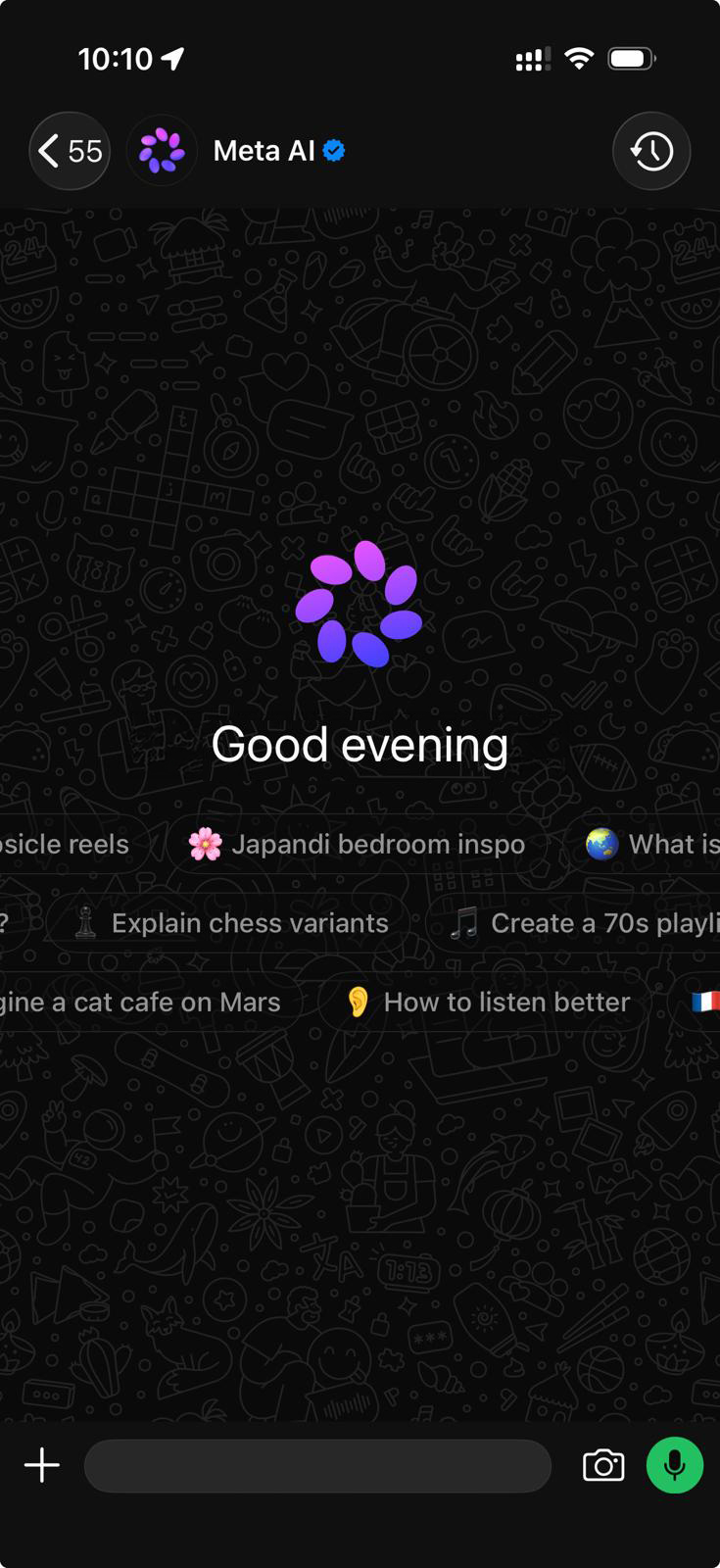
The standalone app also has two killer features the WhatsApp version doesn’t have yet:
Once updated, a Meta AI entry point appears in the bottom-right corner of your chat list — tapping it feels just like messaging a regular contact. It’s most useful for quickly looking things up, translating, or drafting a reply mid-conversation, without ever leaving WhatsApp. Factual answers (like a public holiday date) also come with a “view details” link underneath so you can jump straight to the source to verify it. Note that the WhatsApp version currently doesn’t support scheduled reminders (e.g. “remind me at 3pm tomorrow”) — for that, you’ll need the standalone app’s “Schedules” feature.3
Group chats: this feature is currently not available in Hong Kong — right now only one-on-one conversations with Meta AI are supported in WhatsApp here. Summoning @Meta AI in a group chat is already live in the US and Europe, and is expected to roll out to Hong Kong in a later phase, so keep an eye out.3
Meta AI’s DM feature has actually been on Instagram for a while.4 You can chat with it directly inside your DMs, and the most natural use case is forwarding a post or Reel you’ve just seen and asking “where is this?” or “how do I make this dish?” — the AI responds based on that specific content. For anyone creating IG content, you can also draft captions, hashtags, and copy edits all within the same app.
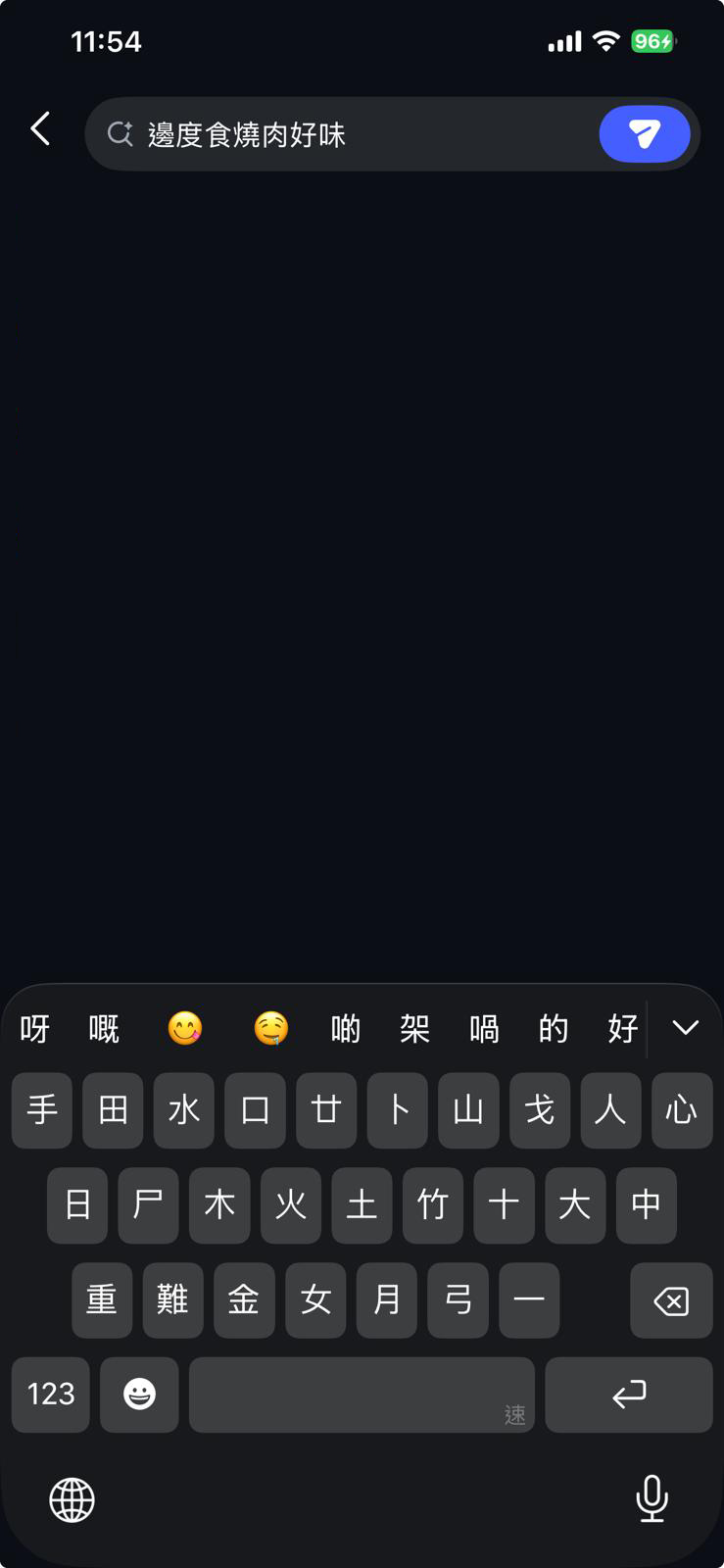
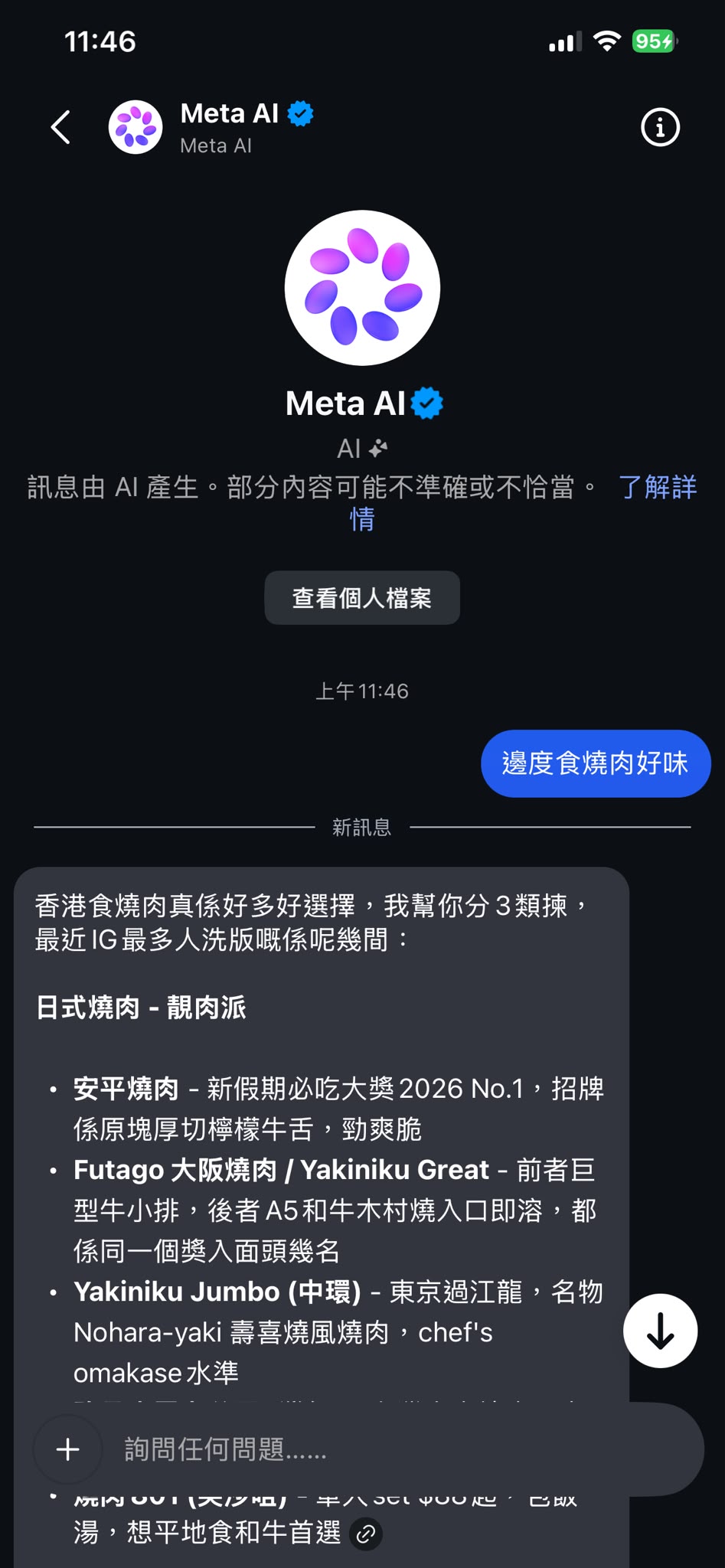
We tested this by typing a Cantonese question directly into an Instagram DM — “where’s good for Korean BBQ?” — and within seconds Meta AI replied with a categorized list of popular local BBQ restaurants, complete with their signature dishes and selling points.
Threads
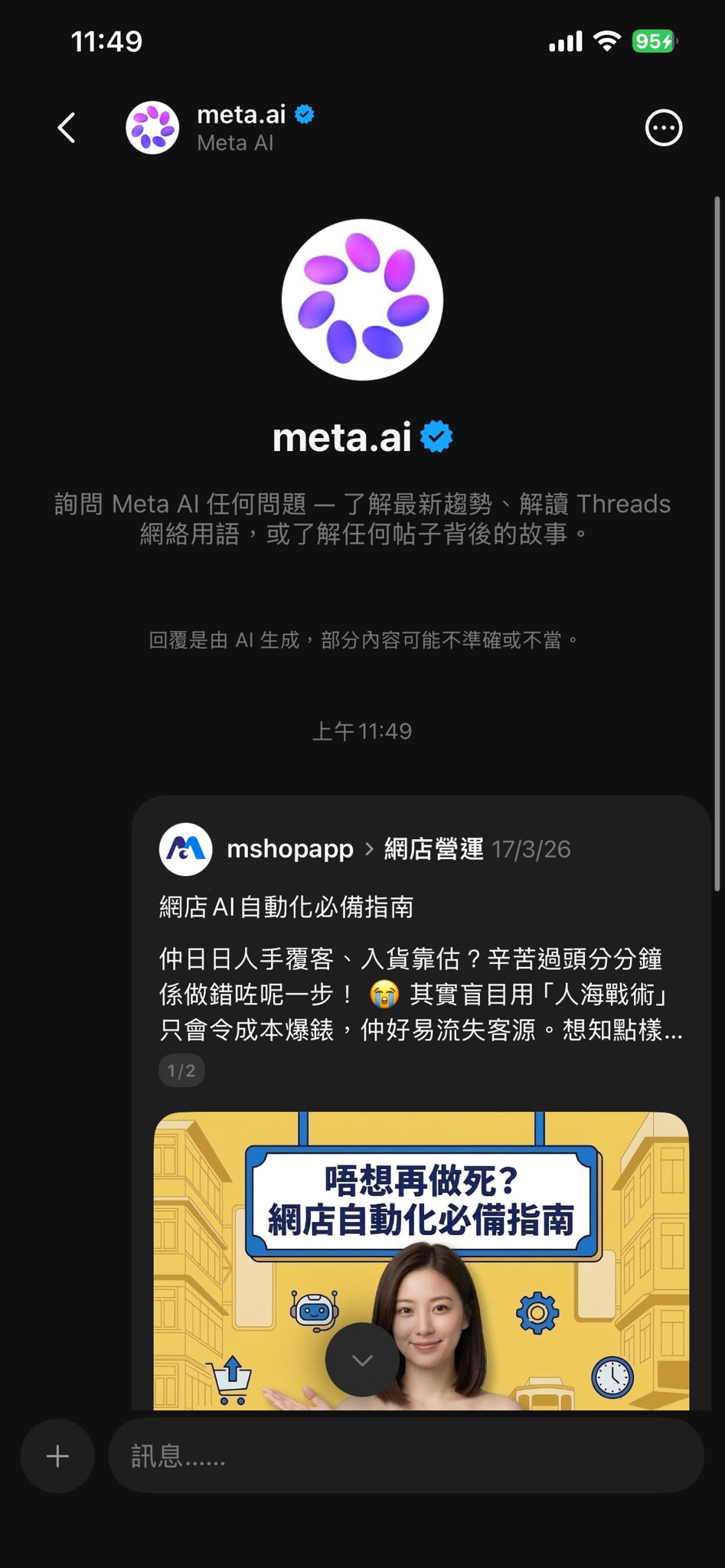
Threads offers two ways to use it. First, public mentions: tag @meta.ai in a post and it replies publicly, similar to how Grok works on X. Second, private DM conversations (available since July 28, 2026): tap the three-dot menu on any post and you’ll find a button to summon Meta AI — selecting it sends that post into a DM so you can ask follow-up questions privately, without it showing up publicly.4
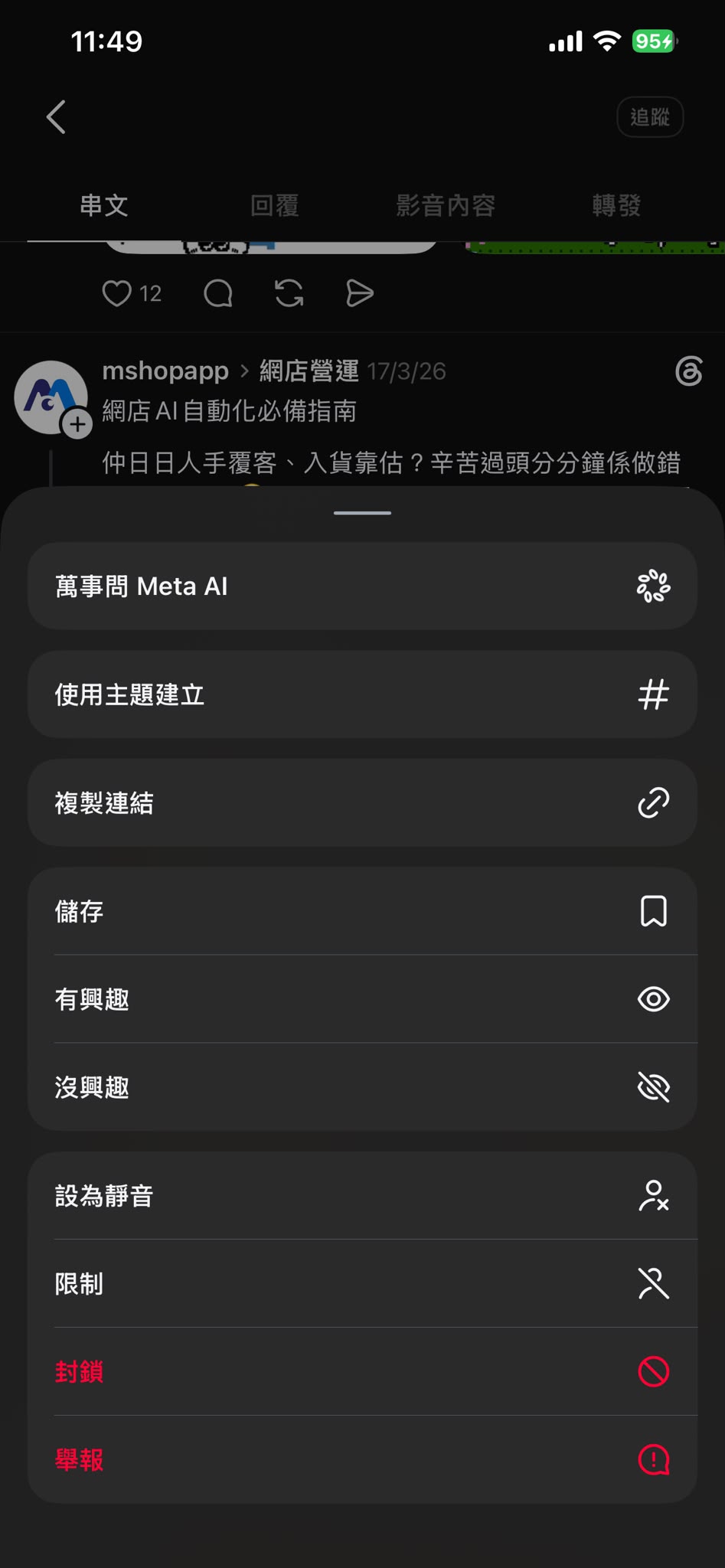
One extra tip: if you’d rather not see too many public Meta AI replies in your feed, you can mute the @meta.ai account or mark related posts as “not interested.”4
Having covered the good parts, it’s worth being upfront about the most obvious weakness right now — voice message recognition.
We sent a Cantonese voice message as a test, and Meta AI replied:
“Sorry, I couldn’t quite make out that voice message — it sounded a bit choppy in places. Could you say it again, or type it out for me instead?”
When we followed up asking which languages it could understand, Meta AI answered:
“I understand all three! English, Cantonese and Mandarin… though if the recording is a bit noisy, spoken quickly, or has a strong accent, the speech-to-text conversion can miss some details… so if you find I don’t understand your voice message, typing it out will get you the most accurate result.”
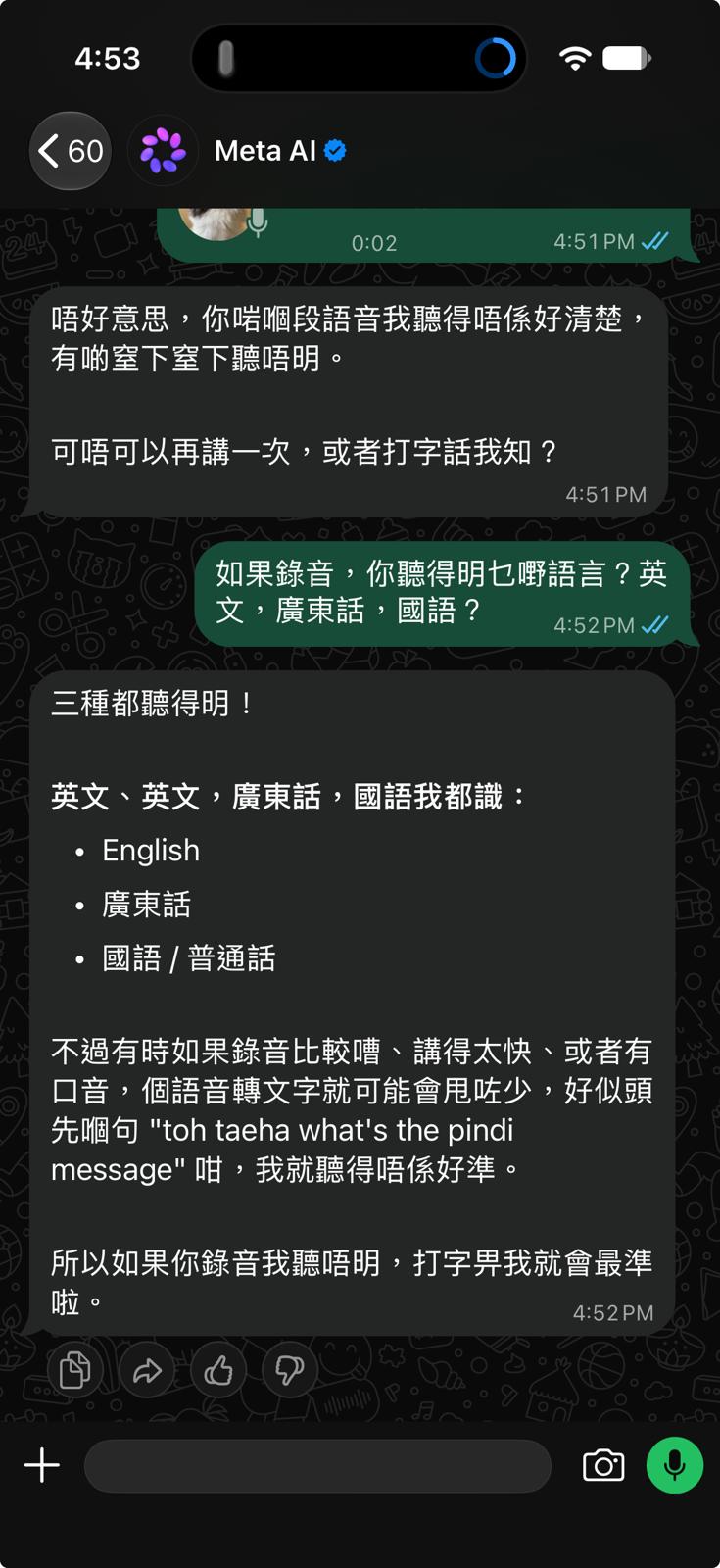
Bottom line from our test: Meta AI officially supports voice recognition in English, Cantonese and Mandarin, and that feature does work. But side by side with the same Cantonese recording, its accuracy clearly falls short of Google Gemini’s — background noise, faster speech, or a noticeable accent all increase the chance of it missing words.
It’s worth stressing this only affects “listening,” not “reading”: typed input, image reading and file reading all work well, even impressively so. For now, the safest approach is to type as your primary input and treat voice as a backup. Separately, voice features on Meta AI-enabled smart glasses are still not connected for use in Hong Kong.2
These are currently the three free AI assistants Hong Kong users interact with most, and each has a clear strength.
| Category | Meta AI | Google Gemini | DeepSeek |
|---|---|---|---|
| Pricing | Completely free | Free tier + paid plans | Completely free |
| Available in Hong Kong | ✅ No VPN needed since Sep 11, 2026 | ✅ Mobile fully available without VPN since March 2026 | ✅ Always directly accessible |
| Cantonese text | ✅ Strong, understands local phrasing | ✅ Good | ✅ Strong Chinese comprehension, but leans formal/written |
| Cantonese voice | ⚠️ Supported but less accurate | ✅ Most accurate of the three | ⚠️ Weaker voice support |
| Reading images/files | ✅ Photos, PDFs, documents, spreadsheets | ✅ Comprehensive, integrates with Google Workspace | ✅ Supports document uploads |
| Image generation | ✅ Built-in, editable via conversation | ✅ Built-in | ❌ Not supported |
| Biggest strength | Built directly into WhatsApp/IG/Threads, no app-switching | Most accurate voice recognition, tight Google ecosystem integration | Strong reasoning, solid Chinese writing |
| Access points | Meta AI App / meta.ai / WhatsApp / IG / Threads / FB | Gemini App / web / Google services | DeepSeek App / web |
Which one should you use? If you’re on WhatsApp and IG every day, Meta AI’s “zero app-switching” advantage is hard to beat — you can ask a question and generate visuals or copy right where you’re already chatting. For voice commands or voice notes, Gemini is currently the most accurate. For long-form writing, logical reasoning, or Chinese-language documents, DeepSeek performs solidly and is completely free.
For Hong Kong SMEs and creators, the most practical setup is: Meta AI for day-to-day customer service drafts and social media visuals, Gemini for voice input, and DeepSeek for long-form writing and analysis. All three are free, so there’s no need to pick just one.
Q1: Do I still need a VPN to use Meta AI?
No. Since September 11, 2026, Hong Kong users can access it directly through the Meta AI App, the meta.ai website, or WhatsApp, IG and Threads — no VPN, no changing your account region, and no new account required.2
Q2: Is Meta AI free to use?
Meta AI itself is completely free. Meta’s separate autonomous AI agent, Muse, launched on September 8 with paid plans, but Muse is currently only available in the US and is a completely separate product from Meta AI in Hong Kong.1
Q3: How do I use Meta AI on Instagram?
You can chat with Meta AI directly through Instagram DMs — this feature has actually been available on Instagram for a while.4 The most natural way to use it is to forward a post or Reel you’ve just seen and ask something like “where is this?” or “how do I make this dish?” and the AI will respond based on that content. Make sure Instagram is updated to the latest version first.
Q4: How do I use Meta AI on Threads?
There are two ways. Publicly: tag @meta.ai in a post and it will reply publicly. Privately: tap the three-dot menu on any post, select Meta AI at the top, and that post gets sent into a DM where you can ask follow-up questions privately, without it appearing publicly. This feature has been available since July 28, 2026, when Hong Kong users could already access it without a VPN.4
Q5: Can I use Meta AI in a WhatsApp group chat?
Not yet. Right now, Hong Kong only supports one-on-one conversations with Meta AI — summoning it with @Meta AI inside a group chat is a fully rolled-out feature in the US and Europe, and Hong Kong is still waiting for that rollout. If you need to coordinate with several people right now, you’ll have to manually copy the AI’s reply into the group yourself.3
Q6: Can Meta AI understand Cantonese voice messages?
Yes, but accuracy is the weakest of the three assistants we compared. It officially supports voice recognition in English, Cantonese and Mandarin, but our test found that noisy recordings, fast speech or a strong accent can cause it to miss words — accuracy falls short of Gemini’s. Typed input, image reading and file reading all work fine, so typing is recommended as the primary method.
Q7: What kinds of files can Meta AI handle?
It can read photos, PDFs, documents and spreadsheets, and can process several files at once for summaries, comparisons and analysis — including a 35-page professional contract, which it can turn straight into a comparison table. It can also photograph things like foreign-language menus or wet market produce, recognize them instantly, and overlay Chinese labels directly on the image.1 3
Q8: I updated the app but still don’t see the Meta AI entry point — what should I do?
Meta says the rollout is happening in phases and not every user gets access on the same day. First confirm the app is fully updated, then try restarting it. If it still doesn’t appear, wait a few days and try again, or use the standalone Meta AI App or meta.ai website in the meantime, since both have the most complete feature set.
Q9: Does Meta AI use my data from social platforms?
Meta AI draws on the broader internet as well as public content users share on Instagram, Facebook and Threads, which is part of why its answers feel more locally relevant.1 For anything involving sensitive personal information, it’s best to ask via private message rather than in a group or public post.
Q10: Can Meta AI see my private conversations on WhatsApp?
Not at this stage. Your WhatsApp chats and group conversations with friends, family and colleagues remain protected by end-to-end encryption, and Meta AI — being a separate one-on-one contact — has no access to scan or read those encrypted messages. The one thing to watch for: if Hong Kong later opens up @Meta AI summoning inside group chats, the summon command and its context would then be sent to Meta’s servers for processing. For now, it’s safe to try.3
Q11: What signals confirm I’m talking to the real Meta AI, not a scam account?
Three things: the name should carry the official blue verification badge; opening the contact info should show no phone number at all; and the official account only ever replies, it never messages you first. If any of those three conditions is missing, treat it as a scam — block and report it.3
Meta AI’s arrival in Hong Kong isn’t just about finally being available — it’s about being available with zero friction: no VPN, no cost, no new account, and it lives directly inside the WhatsApp, Instagram and Threads apps you already open every day.
In our testing, natural Chinese conversation, instantly editable image generation, and solid photo/file reading (it even summarized and compared a 35-page insurance policy in seconds) were strong enough to cover the everyday needs of SMEs and content creators. Two things to adjust your expectations for: voice message recognition accuracy trails Gemini’s, so typing remains the most reliable approach for now; and WhatsApp group summoning and scheduled reminders aren’t available yet, so you’ll need the standalone app for those. Before you start chatting, remember to check for the official blue checkmark and the “no phone number” signal to avoid scam accounts.
Want to try it yourself? Update Meta AI, WhatsApp, Instagram and Threads on iOS or Android, or just head straight to the meta.ai website.
We'll help you identify where AI creates the fastest measurable value.